AI-READY ENERGY DATA
Talk to your energy data
Metry’s MCP server connects your data directly to the AI tool you already use. Ask in plain language and get the answer from your own data.

Goodbye manual exports, hello energy data!

Stay on top of data collection
Which meters have stopped reporting? Where are the gaps in last year’s data? And where do the values look implausible? Spot anomalies in your data and find the gaps before they turn into a reporting problem.

Follow-up and analysis
Compare energy use between periods, find the buildings that stand out and ask for an energy signature while you’re at it. It used to take an export and a pivot table to get done. Now, you just ask.

A basis for reporting
Pull together annual consumption by utility across the whole portfolio ahead of CSRD or GRESB. Check coverage before you start reporting, produce the figures without opening a spreadsheet, and compare against last year with ease.

Getting your data into a system of your own has always meant a developer building an integration against our API. Now you click the Metry connector and start asking questions in plain language.
Sebastian Levander, Head of Design, Metry
Stay on top of data collection
From reactive to proactive
Build flows that fit the way you work
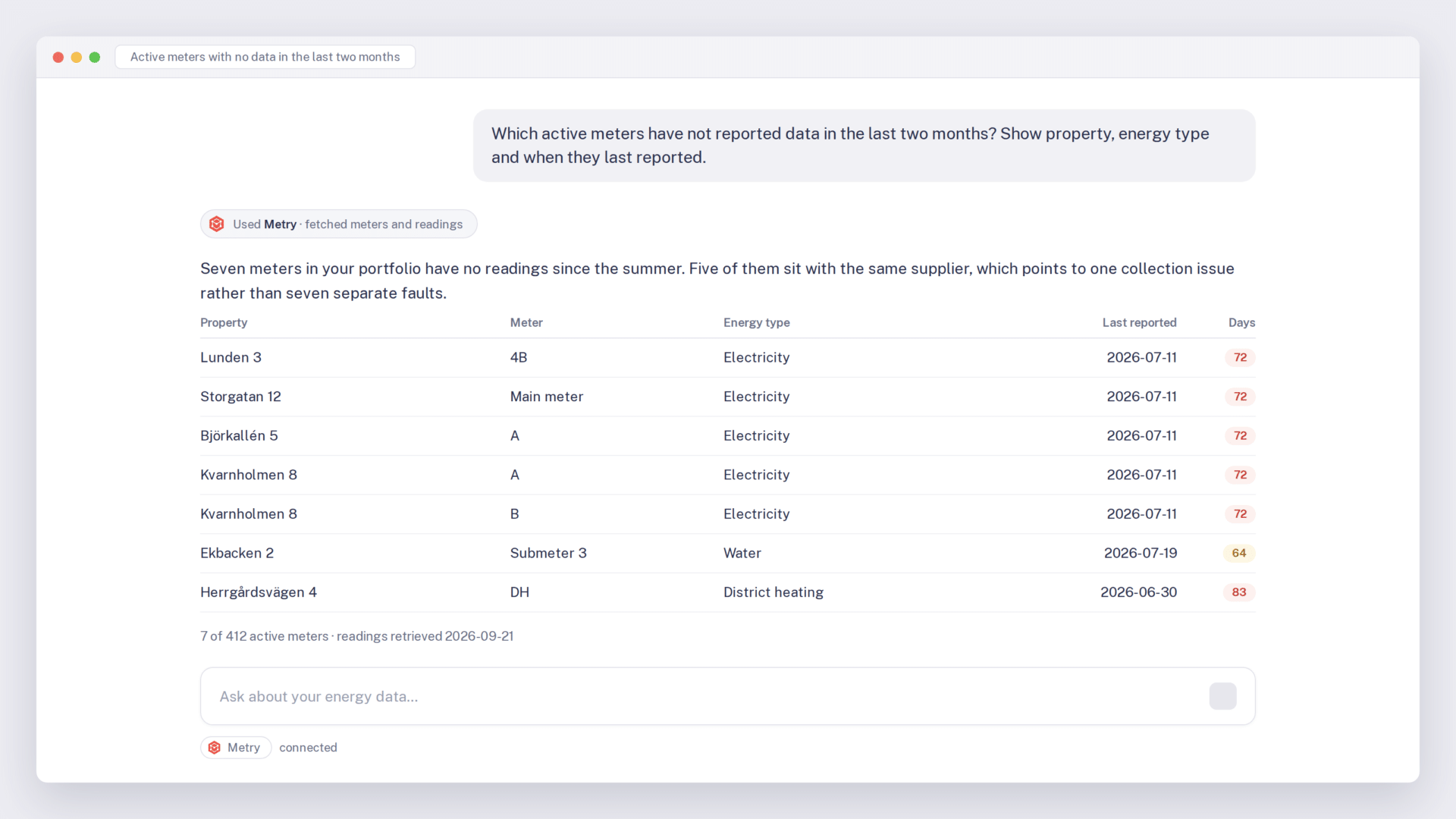
Which meters have not reported for two months? What share of the portfolio has complete data collection for the full year? Are there properties where we are missing data for part of the period? With the MCP server, you can ask your data directly and keep track of collection.
Move from reactive to proactive by setting up your own automated alerts and flows in the AI tool, drawing the answers from your actual Metry data.

Freedom to choose
Your data in the AI tool you already use
Mix and match as you please
Connect the AI tool you already use. The MCP standard is open, which makes your data available in tools that supports MCP.
Instead of exporting a file and pasting it into a chat, the AI tool fetches the data straight from Metry when it needs it. The standard works like a universal connector, so the same connection works across several tools. If you switch AI vendor in two years, your energy data comes with you.

IT and security
No new permissions, no new keys
Your IT department can rest assured
The connection is read-only, so nothing can be changed or deleted through it. You sign in with your existing Metry account, and the AI tool sees exactly the data that account already has access to. No service accounts, no API keys, no shared passwords.
The server runs on AWS in the EU and stores neither credentials nor conversations.
Up and running before your coffee gets cold
One address is all it takes
Open the connections in your AI tool and add https://mcp.metry.io. In most tools that is one field and one button. If you work in a CLI, a single command will do.

With your existing account
The tool opens a window where you sign in to Metry and approve access. No new accounts, no keys to keep track of.

Start with something you can check
Start with a question you can check yourself, like last month’s electricity consumption for a property you know well. That way you can see straight away that the connection works and that the figures add up.

Get started
If you already use Metry
Your data is already in the portal. All that is left is connecting the server in your AI tool. Sign in and follow the instructions for the tool you use.
If you are not a customer yet
An AI tool is never better than the data it is fed. If your energy data is spread across grid operators, submeters and spreadsheets, that is where the work starts. Get in touch and we will look at how your data collection works today.
Down to the details
You ask, we answer
Convince the sustainability manager that the answers can be trusted. Give IT what they need to say yes. Show the operations team that they can carry on working exactly as before. These are the questions we get most often. If you have more, book a meeting with us and we will go through them together.
What would you ask your energy data?